By: Katy Rowe-Schurwanz
Explore the Autosomal DNA Series
Start with the basics, then continue through the series to learn how autosomal DNA works, what your results mean, and how to use them in genealogy.
- Using Autosomal DNA in Genealogical Research
- How to Upload Autosomal DNA to FamilyTreeDNA (current article)
- Tips for Using Autosomal DNA
Upload your autosomal DNA to access new matches, expand your research, and use FamilyTreeDNA tools without retesting.
By now, you’ve learned how autosomal DNA works, how to interpret your results, and how to use DNA matches in your genealogical research. But what if you’ve already tested with another company?
The good news is that you don’t need to start over. By uploading your autosomal DNA, you can take your existing results and use them with FamilyTreeDNA to access new matches and tools.
In this part of the series, you’ll learn how DNA upload works, what you get for free, and how it can help you expand your research across multiple databases.
What If You Already Tested Your DNA Somewhere Else?
If you’ve already taken an autosomal DNA test with another company, you don’t need to start over. You can upload your existing DNA results to FamilyTreeDNA and begin exploring matches and tools in a new database.
This makes uploading your autosomal DNA an ideal starting point if you’re new to FamilyTreeDNA but already have results.
What Is Autosomal DNA Upload?
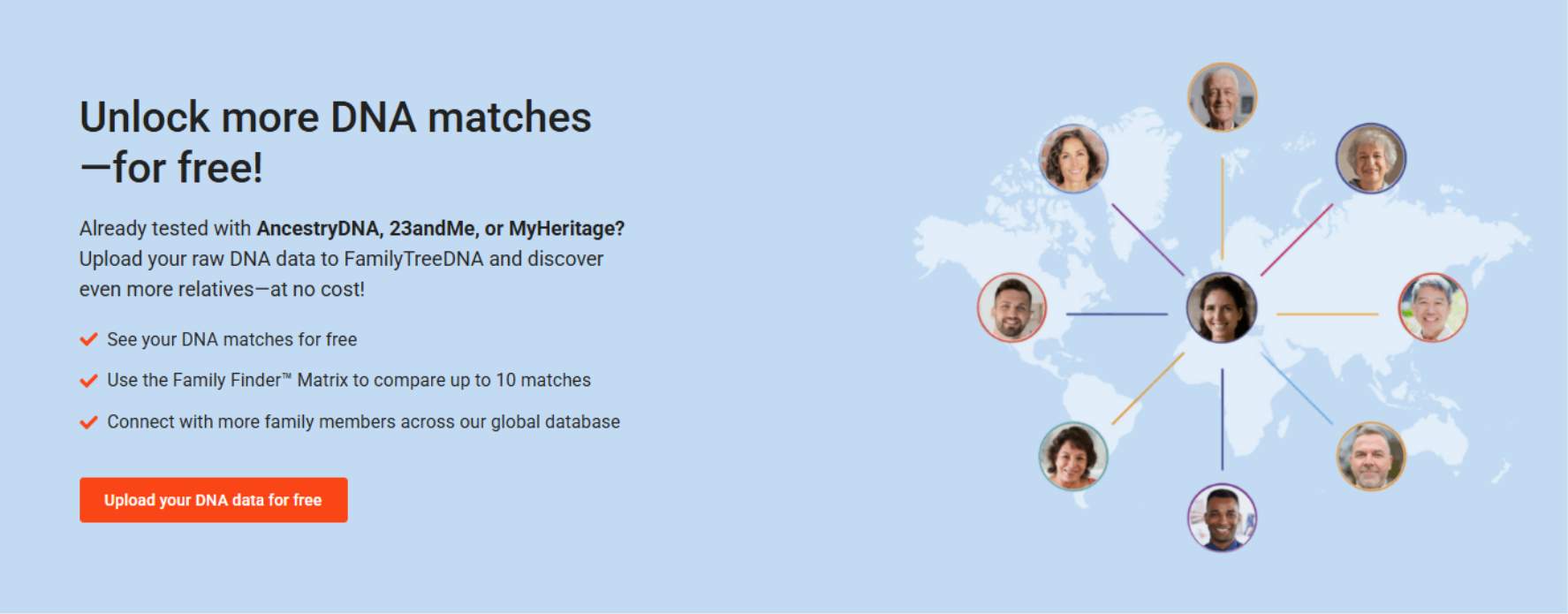
Autosomal DNA upload allows you to take DNA results from another testing company and upload them to FamilyTreeDNA to access matches and tools in a new database—without retesting.
How Does Uploading Your Autosomal DNA Work?
If you or a family member have already tested with AncestryDNA, 23andMe, or MyHeritage DNA, you don’t need to start over. Instead, you can upload your existing DNA data to FamilyTreeDNA and begin exploring new matches.
Uploading your DNA involves transferring your raw DNA data file, not your physical sample. Your original results remain with the company where you tested, while your uploaded data is added to the FamilyTreeDNA database.
This means you can be in multiple databases at once, increasing your chances of discovering new relatives and expanding your family tree.
What You Get With a Free DNA Upload
Uploading your DNA is completely free and gives you immediate access to:
- DNA matches from FamilyTreeDNA’s global database
- The Family Finder™ Matrix, allowing you to compare up to 10 matches at once
- Opportunities to connect with additional relatives you may not find elsewhere
By expanding your search across multiple databases, you can uncover new connections, strengthen existing research, and break through genealogical brick walls.
Unlocking Additional Autosomal Tools
To access the full suite of Family Finder tools, you can choose to unlock your results with a one-time fee.
Unlocking includes:
- Chromosome Browser
- myOrigins
- Chromosome Painter
- ancientOrigins
- Y-DNA haplogroup (for genetic males)
These advanced tools provide deeper insight into your DNA and help you apply the strategies covered throughout this series.
Why Upload Your DNA to Multiple Databases?
Uploading your DNA to multiple databases increases your chances of finding genetic matches, because each testing company has its own unique pool of users.
No single DNA database contains everyone. Each company—like AncestryDNA, 23andMe, MyHeritage DNA, and FamilyTreeDNA—has its own group of testers.
That means a relative who doesn’t appear in one database may show up in another.
By uploading your DNA to multiple platforms, you can:
- Find more matches across different databases
- Identify shared relatives who can help confirm family lines
- Fill gaps in your research when matches are missing in one database
- Break through brick walls using new genetic connections
This is especially important in genealogical research, where even a single new match can provide the clue needed to extend a family line.
Uploading your DNA allows you to apply the same match analysis strategies from earlier in this series—just with a larger and more diverse pool of relatives.
This is why many genealogists choose to upload their DNA rather than rely on a single testing platform.
How to Upload Your DNA
A guide with step-by-step instructions for transferring your autosomal data from Ancestry or MyHeritage can be found in our Help Center.
Frequently asked Questions
Are all autosomal DNA tests accepted?
Not all tests are accepted, but FamilyTreeDNA currently supports multiple versions from AncestryDNA, 23andMe, and MyHeritage DNA, including most tests from 2010 through 2025.
What if I already tested with FamilyTreeDNA?
If you already tested with FamilyTreeDNA, you can still upload additional DNA data by signing in and selecting “Add Ons & Upgrades.”
How much does it cost to unlock additional tools?
You can unlock additional Family Finder features for a one-time fee of $19, which includes tools like myOrigins, Chromosome Painter, Chromosome Browser, ancientOrigins, and a Y-DNA haplogroup (for genetic males).
Does uploading my DNA transfer my physical sample?
No, uploading your DNA only transfers your raw DNA data file—your physical sample remains with the original testing company.
Uploading your DNA is one of the easiest ways to expand your search for relatives and make new discoveries. By working across multiple databases, you increase your chances of finding the connections that can move your research forward.
Next, we’ll explore practical tips to help you get the most out of your autosomal DNA results.
